

Key Takeaways
- A strong VR training game studio brief defines business objectives, learner outcomes, and technical requirements from the outset.
- Including deployment context and hardware constraints in your brief prevents costly misunderstandings during development.
- Clear success metrics and compliance needs help studios design experiences that meet enterprise standards.
- Budget transparency and a structured review process keep projects on track and within scope.
- Vendor evaluation criteria and a requirements checklist streamline studio selection and reduce project risk.
Setting up a successful VR training game project starts with a well-crafted brief for your chosen studio. Many enterprise L&D leaders and innovation managers underestimate how much detail is needed to translate business goals into effective VR experiences. According to Cubix, the global mobile game market generates over $77 billion annually, highlighting the commercial rigor driving game-based projects. This guide explains what to include in your VR training game studio brief, why each element matters, and how to align your requirements with vendor capabilities for a smooth procurement process.
Step-by-Step Guide to Writing a VR Training Game Studio Brief
Creating a comprehensive VR training game studio brief aligns every stakeholder from procurement to delivery, reducing risk and miscommunication. Following a clear, step-by-step approach helps you define precise needs and expectations, critical when briefing a virtual reality game development company. Here are the core steps to follow, with key considerations for each.
- Define Business Goals and Learning Objectives
- Clarify the top-level outcomes the organization wants to achieve
- Specify strategic priorities, such as process efficiency, employee safety, or onboarding
- Align these goals with both organizational needs and specific learning objectives for the VR training experience
- Describe Target Learners and Intended Outcomes
- Identify who will use the training (job roles, departments, experience levels)
- Outline specific skill gaps or behavioral changes you want to address
- Explain any special considerations for learner diversity or accessibility in your VR training game studio brief
- Specify Deployment Environment and Hardware/Platforms
- List primary and secondary VR devices (such as Meta Quest 3, HTC Vive, or Pico)
- State whether the deployment is on-site, remote, or hybrid
- Highlight any network, security, or IT integration with existing enterprise systems
- Outline Content Scope, Scenarios, and Interactivity
- Describe what real-world tasks or procedures the game covers
- Define the main scenarios or modules and any branching paths
- Indicate desired interactivity: passive instruction vs. active simulation vs. high-fidelity role-play
- Detail Compliance, Accessibility, and Industry Standards
- List regulatory requirements (GDPR, HIPAA, OSHA, etc.) the game must adhere to
- Note accessibility targets (color contrast, VR sickness mitigation, physical controls)
- Reference any mandatory corporate or industry guidelines in your VR training game requirements checklist
- Set Measurable KPIs and Success Metrics
- Identify how you will evaluate project and learning impact
- Include quantitative KPIs (like knowledge checks, completion time, retention rates)
- Ensure metrics are practical to collect and report within your organization
- State Budget Range and Expected Timeline
- Provide a realistic budget window, including flexibility for unknowns
- Outline expected delivery dates and any fixed milestones
- Account for pilot phases, review cycles, and full rollout in briefing a virtual reality game development company
- Clarify Review, Feedback, and Iteration Process
- Agree on who signs off at each phase and feedback methods (document comments, playtesting, etc.)
- Set iteration limits for revisions, bug-fixing, and design tweaks
- Establish final acceptance criteria and transition to support or maintenance
A structured approach that covers each step from concept through delivery ensures your VR training game requirements checklist is consistently met. Taking the time to be thorough in your VR training game studio brief will dramatically improve communication with your chosen studio and increase the likelihood of a successful outcome.
Business Goals and Learner Outcomes in VR Training Projects
A well-prepared VR training game studio brief connects your organization’s strategic priorities with concrete learning outcomes. This alignment helps your enterprise VR training development partner design scenarios that address true business needs.
Business Goals
The most effective briefs set out clear, measurable business goals. For example, a manufacturing firm may aim to reduce workplace safety incidents by 20% within six months. A healthcare organization could target increased compliance with hygiene protocols. Locking in these objectives early allows the studio to propose relevant mechanics and scenarios that directly support the desired impact.
Learner Outcomes
Defining learner outcomes specifies what employees should do differently after the VR training. These might include improved equipment handling, faster onboarding for new staff, or better crisis response times. By detailing both knowledge and behaviors expected after training, you give your studio what it needs to tailor content, interactivity, and feedback, ensuring the finished experience drives measurable change and skills retention.
Aligning your VR training game studio brief with business and learner objectives keeps your project focused on outcomes that matter.
Deployment Context and Hardware Considerations
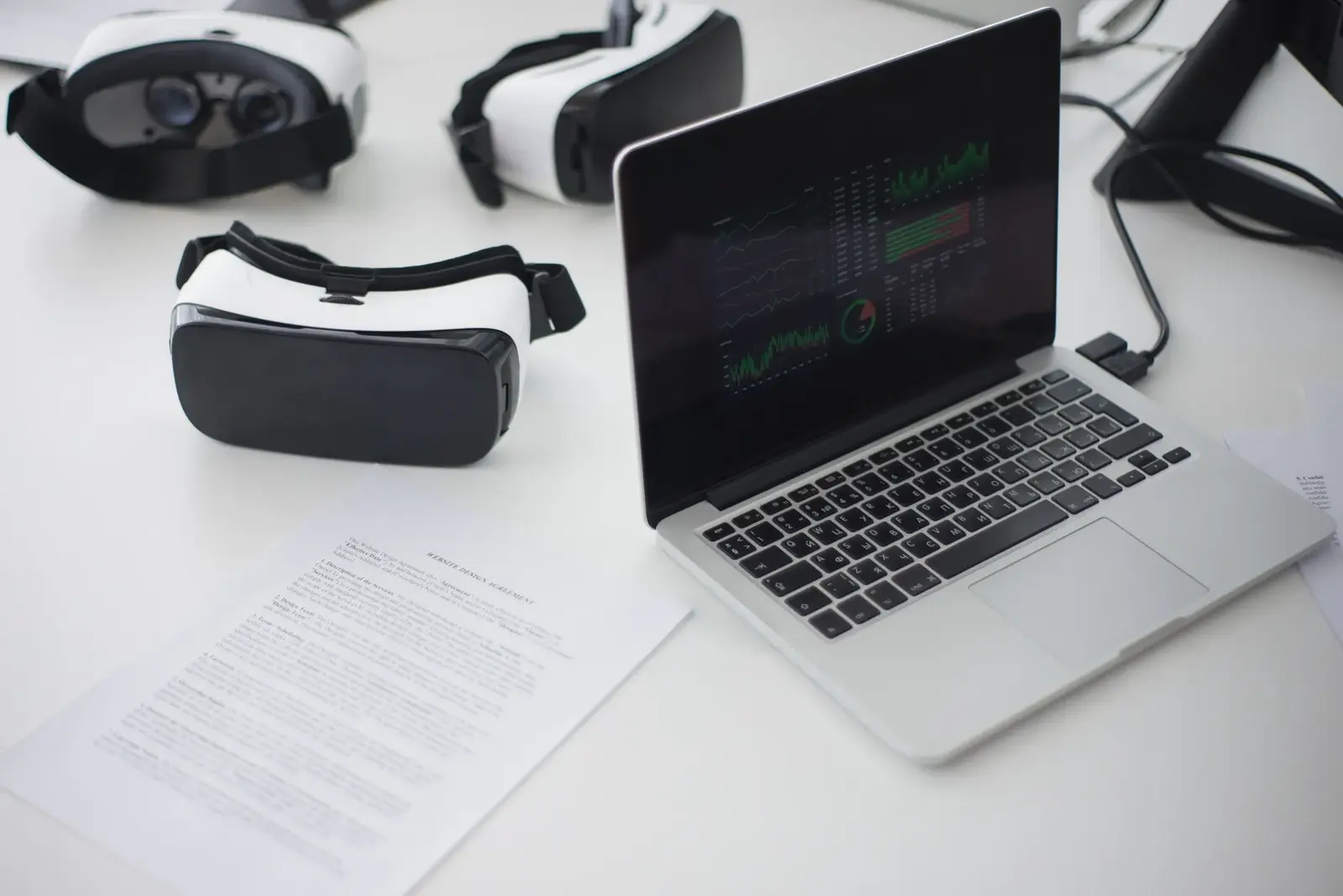
When briefing a virtual reality game development company, deployment context and hardware requirements are essential. These details direct technical planning and help avoid issues later. Common factors to include in your VR training game requirements checklist are:
- Primary Headsets: Meta Quest 3, HTC Vive Pro 2, Pico 4 Enterprise, these platforms remain leading choices for enterprise VR as of November 2026.
- Supporting Hardware: Specify if tracking accessories, haptic gloves, or custom controllers will be needed.
- On-Site Deployment: For training delivered in one location, outline physical space, Wi-Fi or Ethernet needs, and IT protocols.
- Remote Deployment: Note requirements for learners working remotely, such as compatibility with personal networks, onboarding support, and remote headset management.
- Hybrid Training: If some users train on-site and others remotely, clarify how content should adapt to mixed setups.
- Security and IT Integration: Explain standards for device management, single sign-on, firewall allowances, and integration with LMS or HR systems.
- Data Privacy: State expectations for secure handling of personally identifiable information, anonymization, or region-specific data rules.
Including these details early in your brief helps studios design effective, reliable VR training solutions for your enterprise environment.
Content Scope, Scenarios, and Interactivity
Specifying what your VR training game will cover ensures development time is focused where it matters most. Setting clear boundaries and expectations gives your project structure from the start.
Content Scope
Define what the VR training should include, and what it should leave out. For example, an emergency procedures module might cover fire evacuation and hazardous spills, but not equipment malfunctions. Naming modules, topics, or job tasks in your VR training game studio brief gives the studio a focused starting point.
Scenario Design
Effective VR training scenarios immerse learners in real or simulated workplace situations. Briefs should outline sample scenarios: for safety training, describe a typical accident response; for sales training, outline a challenging customer meeting. Indicate if you want branching paths, progressive difficulty, or randomized events to boost engagement and skill building.
Interactivity Levels
VR training games range from passive observation modules to highly interactive simulations. Clarify your preference:
- Passive: Learners watch demonstrations or walkthroughs.
- Guided: Users follow step-by-step prompts and receive feedback on choices.
- Freeform: Participants tackle open-ended problems, with the system assessing actions and providing adaptive responses.
Stating these parameters in your VR training game requirements checklist helps studios deliver engaging, purpose-driven learning experiences.
Compliance, Accessibility, and Industry Standards
Making compliance and accessibility requirements clear in your VR training game requirements checklist speeds procurement and ensures your solution fits for enterprise deployment. Key considerations for an enterprise VR training development partner include:
- Data Protection: GDPR (EU/UK), CCPA (California), or other region-specific privacy rules.
- Healthcare: HIPAA (US), NHS digital standards (UK) if using patient or staff health information.
- Workplace Safety: OSHA (US), HSE (UK), or industry-specific certifications for safety-critical roles.
- Accessibility: WCAG 2.1 standards for cognitive, visual, or physical disability accommodation. This includes color contrast, audio alternatives, screen reader compatibility, and VR motion adjustments.
- Physical Access: Options for seated and standing use, control schemes for users with limited mobility, and adjustable interaction zones.
- Language and Localization: Requirements for translations, text-to-speech, or region-specific content variants.
- Corporate Policy: Company-specific IT, HR, or records management requirements.
Addressing these factors early prevents compliance gaps and ensures smooth trial runs during adoption and audits.
Setting KPIs and Measuring Success in VR Training Games
Defining and tracking success metrics is essential for every VR training game studio brief. Without clear KPIs, it’s difficult to measure project impact or justify future investment. KPIs turn training into a strategic asset instead of a sunk cost.
To improve project ROI and deliver clear business results, set measurable KPIs that reflect both learner progress and organizational goals. Common metrics in enterprise VR training include retention, behavior change, and scenario completion rates. Each KPI should have a direct measurement method and a realistic target.
Below is a comparison of typical VR training game KPIs, their relevance, and measurement practices:
| KPI | Description | How to Measure | Typical Targets |
|---|---|---|---|
| Scenario Completion Rate | Percentage of learners who finish all required modules | Learning platform analytics | 90-100% |
| Assessment Scores | Average score on in-game or post-session evaluations | Quiz/test plugins, knowledge checks | 80%+ |
| Engagement Duration | Time learners spend actively participating in VR | System session logs | 20-40 minutes per scenario |
| Retention Rate | Percentage completing follow-up assessments after X weeks | Pre-/post-training surveys | 70-90% |
| Error Rate | Frequency of mistakes in critical tasks during role play | In-game event tracking | Trending reduction |
| Real-World Transfer | Demonstrated application of skills on the job | Supervisor feedback, performance audits | Clear positive change |
| Satisfaction Scores | Learner feedback on clarity, usability, immersion | Post-training survey tools | 85%+ positive responses |
Specifying these KPIs aligns expectations between buyer and studio, and prepares both sides for meaningful VR training simulation vendor evaluation during and after project delivery.
Budget, Timeline, and Review Process
Laying out budget, timeline, and review steps within your VR training game studio brief or VR training game RFP removes ambiguity and accelerates studio responses. A clear structure keeps scope, costs, and expectations in check.
- Set Your Budget Transparently
- State an estimated cost range for studios
- Indicate what’s included or excluded, such as hardware, licensing, or support
- Highlight flexibility for stretch goals or phased delivery
- Identify Major Cost Drivers
- Number of scenarios or modules
- Asset complexity (custom 3D models, animation, audio)
- Interactivity and assessment needs
- Required integrations (LMS, HR systems)
- Custom compliance or localization features
- Map Out Timeline Milestones
- Initial briefing and requirements gathering
- MVP/demo delivery (often after 8-12 weeks)
- Full content completion (typically 3-6 months for enterprise builds)
- User acceptance testing and final revisions
- Go-live and handover to L&D teams
- Structure Review and Feedback Cycles
- Schedule formal check-ins after each milestone
- Assign responsibility for feedback (who gives it, how to document or sign off)
- Set expectations for revision rounds, typically two or three cycles plus bug fixes
- Document final acceptance criteria and transfer of ownership/support
By stating these parameters in your brief, you help remove bottlenecks and give your project the best chance at on-time, on-budget delivery.
Vendor Evaluation Criteria for VR Training Simulation Projects
A structured VR training simulation vendor evaluation process allows you to compare partners objectively. Include both qualitative and quantitative criteria to guide your choice.
- Relevant Experience: Seek studios with a portfolio featuring not only VR games, but specifically enterprise training projects.
- Technical Expertise: Evaluate platform specialization (Meta Quest 3, Pico, HTC Vive), IT integration, and cross-platform delivery.
- Portfolio Fit: Look for past projects that match your industry, learner needs, and interaction level.
- Process Transparency: Favor vendors with an open project management approach, detailed schedules, and proactive risk management.
- Support/Aftercare: Consider post-launch support, user onboarding, and maintenance offerings.
- References and Case Studies: Request relevant client references for similar VR training games.
Here’s a sample comparison table for vendor capabilities:
| Vendor Name | Relevant Experience | Supported Platforms | Unique Strengths |
|---|---|---|---|
| Studio A | Healthcare safety, soft skills training | Quest 3, Pico, HTC Vive | Compliance, rapid prototyping |
| Studio B | Industrial/hazard simulation | Meta Quest 3, PC VR | Custom hardware integration, analytics |
| Studio C | Retail, sales enablement | Pico, mobile VR | Localization, gamification |
Using structured criteria and tables makes briefing a virtual reality game development company a focused, outcome-driven process that reduces risk and speeds up shortlisting.
VR Training Game Brief Template and Checklist
Leveraging a VR training game requirements checklist and template streamlines your brief, ensuring consistency and completeness.
- Overview of business goals and target learner descriptions
- List of key learning objectives and intended behavior changes
- Hardware and deployment context (headsets, locations, IT needs)
- Content scope: modules, scenarios, included/excluded elements
- Scenario examples and interactivity levels
- Compliance, accessibility, and data privacy requirements
- Success metrics and KPIs
- Budget range and cost drivers
- Expected timeline with milestone breakdown
- Review, feedback, and iteration approach
- Final acceptance criteria
A template structure prompts buyers to answer each section in detail, providing space for technical notes and organization-specific needs. Sharing this checklist with VR training studios improves communication and speeds up vendor evaluation. For teams new to the process, requesting sample templates from game art directories helps clarify expectations early.
How GameFirms Helps You Brief and Evaluate VR Training Studios
GameFirms specializes in guiding enterprise procurement and L&D teams toward the ideal enterprise VR training development partner. Through detailed insights and requirements-driven matchmaking, GameFirms makes VR studio discovery and shortlisting straightforward.
GameFirms supports buyers at every stage with:
- Verified Studio Profiles: Every listed VR studio is independently reviewed for experience, supported devices, and enterprise project results.
- Requirements-Matching: A filtering tool recommends studios based on your industry, target platforms, content needs, and compliance requirements.
- Access to Case Studies: See real examples of VR training games created for safety, compliance, onboarding, and soft skills.
- RFP and Briefing Guidance: Templates, process guides, and buyer education content help enterprise teams prepare effective VR training simulation vendor evaluation documents, including how to brief a game art roster.
With these resources, GameFirms enables buyers to identify a VR training studio that matches their exact needs, reducing procurement risk and accelerating project delivery.
Frequently Asked Questions
1. What information should be included in a VR training game studio brief?
A quality VR training game studio brief should cover business goals, target learner profiles, deployment hardware, content scope, compliance needs, KPIs, budget, timeline, and review processes. This ensures clarity and efficient responses from potential vendors.
2. How detailed should my VR training game RFP be for vendors to provide accurate proposals?
A good VR training game RFP should provide specific technical, learning, and deployment details, along with measurable outcomes and milestones. The more detail you offer, the more accurate and actionable your vendor proposals will be.
3. Which hardware platforms are most commonly used in enterprise VR training today?
Most enterprise VR training uses Meta Quest 3, HTC Vive Pro 2, or Pico 4 Enterprise headsets as of 2026, with remote and hybrid deployments often relying on cloud platforms and device management tools for scalability.
4. What KPIs are most important when measuring the success of a VR training game?
Typical VR training KPIs include scenario completion rate, engagement duration, assessment scores, and post-training retention. Selecting the right KPIs helps organizations measure both learning and real-world impact.
5. How do I evaluate and compare VR training simulation vendors?
Begin with a structured VR training simulation vendor evaluation checklist, considering relevant industry experience, supported platforms, content quality, process transparency, and customer references for prior enterprise VR projects. For mobile-specific projects, also review mobile game development partner evaluation criteria.
6. What budget range should I expect for a typical enterprise VR training game?
Enterprise VR training games can span from moderate five-figure sums for focused modules to six-figure investments for multi-scenario, compliance-heavy builds, depending on scope, device support, and content complexity.
7. How do compliance and accessibility requirements affect VR training projects?
Compliance and accessibility shape design and development choices, increasing review cycles and potentially raising costs. Addressing them early in your brief ensures smoother approvals and broader user inclusion.
8. What is the typical timeline for developing a VR training game with an external studio?
Development typically takes three to six months for a custom enterprise VR training game, factoring in requirements gathering, review cycles, pilot testing, and full deployment stages.
9. How can I ensure my business goals are reflected in the final VR training product?
State business goals clearly in your brief, align them with measurable KPIs, and maintain ongoing communication with your development partner through structured feedback and acceptance milestones.
10. What are common mistakes to avoid when briefing a virtual reality game development company?
Skipping deployment details, under-specifying compliance needs, or rushing the review phase leads to costly changes or project delays. Take time to clarify requirements, timeline, and feedback before development begins.