

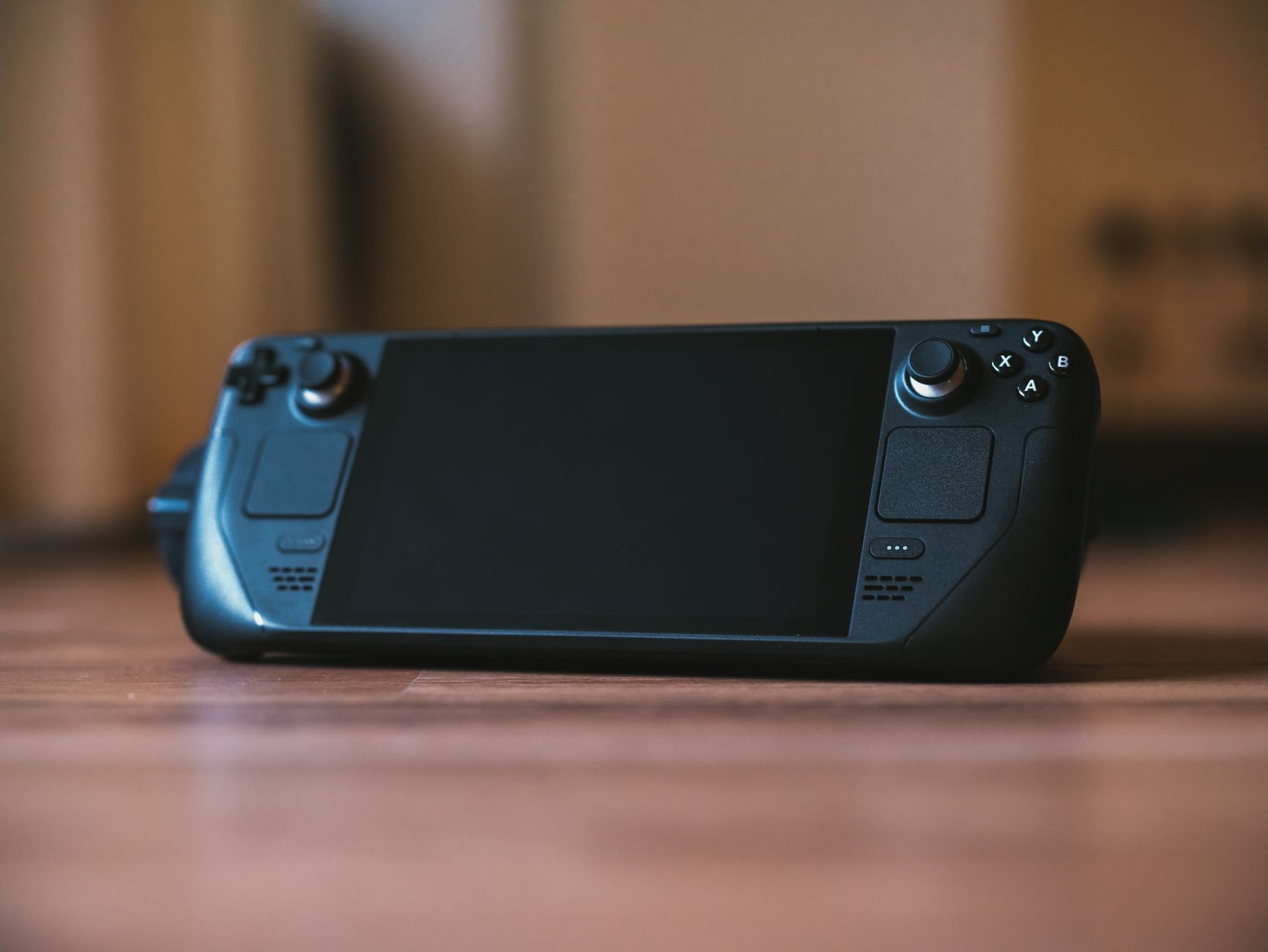
Key Takeaways
- A Steam Deck optimization studio specializes in adapting PC games for smooth performance and handheld usability.
- Studios address frame rate, battery life, controller UX, and Linux/Proton compatibility for Steam Deck.
- Hiring a Steam Deck optimization studio is recommended when in-house teams lack handheld expertise.
- Vendor selection should focus on technical capabilities, QA/testing, and experience with handheld platforms.
- Optimization for Steam Deck often supports broader handheld PC game readiness.
The popularity of Valve’s handheld gaming device, the Steam Deck, has created a growing need for specialized optimization services. Standard PC game optimization often misses the mark when it comes to the unique demands of delivering smooth, battery-friendly gameplay on handheld hardware. Developers quickly learn that supporting the Steam Deck involves much more than lowering graphics settings or porting a Windows game to Linux.
As portable gaming grows in both audience and complexity, studios look for partners with the expertise to handle challenges ranging from frame rate stability to Proton compatibility and touch-ready UI design. According to Game Developer, Steam Deck sales surpassed 5 million units in 2025, which shows the strong market demand for these services. This article covers what a Steam Deck optimization studio provides, when to seek outside support, and how to evaluate vendors for the right technical fit.

What a Steam Deck Optimization Studio Does
Steam Deck optimization studios focus on tuning PC games specifically for Valve’s portable platform. Their work extends well beyond routine desktop optimization, centering on handheld controls, hardware limitations, and Linux-based software environments. The following are the core areas these studios tackle.
Steam Deck Game Optimization
Steam Deck game optimization means tailoring a game’s graphics performance and visual quality for the device’s hardware. Studios adjust settings like texture quality, resolution, and effects so that games run smoothly at the Deck’s native 1280×800 resolution. They pay close attention to GPU and CPU limitations, targeting consistent 40-60 FPS for many titles. This often involves creating custom performance profiles, letting games automatically configure the best settings for the Steam Deck. For some, this means adding “Deck Mode” toggles or ensuring scaling works perfectly on the compact display. This work often involves graphics optimization to balance visual quality and performance.
Steam Deck Performance Optimization
Performance optimization for the Steam Deck focuses on battery life and thermal management without sacrificing gameplay. Studios profile each game’s power consumption, testing across scenarios such as docked, undocked, and different brightness settings to find the best balance. Thermal tuning plays a big role. High frame rates on Steam Deck can cause overheating or loud fan noise, so studios use diagnostic tools to identify FPS spikes or power-hungry settings. Solutions include frame rate caps and dynamic resolution scaling. They also make sure the game handles power-saving modes and standby resumption, handling issues rarely seen on desktops. This process benefits greatly from GPU optimization expertise to maximize efficiency.
PC Game Optimization Studio Capabilities
A studio that optimizes PC games for Steam Deck needs deep experience with both Windows and Linux/Proton environments. This includes understanding Proton’s compatibility layers, translating DirectX or Vulkan APIs, and fixing Linux-specific bugs. Controller mapping and handheld-focused UX are also top priorities. Studios redesign menus, adapt gameplay away from keyboard inputs, and tune haptic feedback for satisfying handheld play. Playtesting on actual Steam Deck hardware is critical, as many issues only appear outside of test environments. These capabilities set Steam Deck optimization specialists apart from general PC game development studios and typical PC game development studios.

When to Hire a Steam Deck Porting Studio
Certain situations make hiring a Steam Deck porting studio a strategic decision for developers and publishers:
- Your in-house team lacks handheld optimization knowledge and needs help bridging desktop and handheld user experiences.
- You plan a simultaneous PC and Steam Deck launch and want to avoid post-launch delays or compatibility issues.
- You face QA issues tied to Proton compatibility or controller UX that generalist PC testers cannot resolve.
- Your game’s graphics demand significant tuning or rebuilding to perform well within Steam Deck’s power and thermal limits.
- You aim to reach other handheld PCs beyond Steam Deck, such as ASUS ROG Ally or Lenovo Legion Go, since similar optimizations often apply.
Bringing in a Steam Deck optimization studio at the right time can shorten release cycles, reduce negative reviews, and boost adoption across handheld platforms.
Key Capabilities to Compare in Vendors
When reviewing potential partners, compare their technical depth and process rigor, as these will shape your results on Steam Deck and other handhelds.
| Capability | Why It Matters | What to Ask Vendors |
| Frame rate optimization | Stable frame rates build player trust and reduce negative reviews. | How do you target and maintain 40-60 FPS on Steam Deck hardware? |
| Battery and thermal tuning | Poor battery or overheating ruins handheld sessions. | What tools and methods do you use for battery/thermal profiling? |
| Controller UX and accessibility | Handheld controls and touch require specific design approaches, especially for complex games. | How do you adapt keyboard/mouse-heavy games for Steam Deck? |
| Linux/Proton compatibility | Most PC games are built for Windows; complete Linux compatibility is essential for Steam Deck. | Can you provide recent projects involving Proton/Linux fixes? |
| QA/testing experience | Comprehensive QA prevents launch-day issues that damage reputation and sales. | What is your QA process for handheld, and do you use real Deck hardware? |
Comparing vendors across these pillars helps you select a Steam Deck optimization studio capable of delivering stable, player-friendly results.
The Steam Deck Optimization Process
A specialized Steam Deck optimization studio uses a stepwise approach to adapt each game for handheld play. Here’s what you can expect from a typical process:
- Initial technical assessment of your game’s compatibility.
The studio reviews assets, engines, middleware, and dependencies for Steam Deck and Proton support, identifying major gaps. - Performance profiling on Steam Deck hardware.
Real-world testing measures frame rate, battery draw, and thermal load, surfacing bottlenecks missed in emulation. - Graphics and settings adjustment for frame rate and battery.
Experts tune resolution, effects, and performance profiles, ensuring smooth operation within battery and thermal constraints. - Controller and UX adaptation.
Controls are re-mapped, menus redesigned for thumb or touch navigation, and haptic/audio feedback tuned for handheld play. - QA/testing on Steam Deck and Proton.
Each new build is tested natively, in both desktop and handheld modes, to catch crashes, graphical glitches, and input issues unique to Linux or Proton. - Iterative feedback and final certification.
Stakeholders review builds, offering feedback before launch, and final certification ensures the game meets Steam Deck compatibility standards.
A disciplined process like this supports positive reviews and fewer post-launch issues.
Benefits of Optimizing for Steam Deck
Optimizing your game for Steam Deck brings both immediate and longer-term benefits:
- You access a growing handheld gaming market as more devices and users join each year.
- User reviews and Steam ratings improve thanks to smoother gameplay and fewer technical issues.
- Your game gains compatibility with other handheld PCs like ASUS ROG Ally or Lenovo Legion Go, making your investment serve several launches.
- Fewer performance, battery, or controller UX support problems lighten the load for customer service and help your reputation.
- You future-proof your game for new mobile PC platforms and shifting user expectations.
Each enhancement for Steam Deck usually boosts your reach and profitability across the broader handheld ecosystem.
Common Challenges in Steam Deck Game Optimization
Optimizing for Steam Deck brings hurdles not seen in typical PC game development. Studios must work through several areas of complexity.
Proton and Linux Compatibility
Games designed for Windows often hit roadblocks on Steam Deck’s Linux-based OS. Studios need to test under Proton, fix translation-layer bugs, and ensure graphics and input work without Windows dependencies. Hardware testing is essential, since many issues surface only there.
Controller Mapping and UX
Adapting keyboard or mouse controls to Steam Deck requires more than a simple remap. Menus must be resized for thumb-driven navigation, and genres like strategy or simulation may need entirely new interfaces. Supporting customizable layouts for accessibility is also crucial. Without thorough testing, poor controls can lead to bad reviews and lost sales.
Battery and Thermal Constraints
Steam Deck’s limited battery and compact build mean games must be tuned to avoid high power draw or overheating. Performance optimization must be balanced against battery and heat limits. Mistakes bring loud fans, device throttling, or rapid battery drain, all of which disrupt handheld play and impact sales.
Handling these challenges separates a skilled Steam Deck porting studio from a general optimization partner.
Comparing Steam Deck Optimization Studios
Choosing the right Steam Deck adaptation partner often depends on their hands-on experience. Here is a comparison of leading studios as of September 2026, each with a recognized record in handheld PC game optimization.
| Studio | Notable Projects | Key Capabilities | Handheld Experience |
| PixelTuned | Platformers and visual novels for Deck | Graphics and performance tuning, menu adaptation, automated regression testing | Specialized in visual genres, ensures battery-friendly ports using native toolsets |
| DeckDevPro | Several 3D action/RPG conversions | Shader porting, haptic customization, multi-layer QA for crashes and stutter | Proficient in Unity/Unreal ports, thorough hardware playtests, supports device-specific DLC |
| IronHand Studios | Simulation and strategy titles for Deck and Windows handhelds | UX overhaul for keyboard-intensive games, Linux subsystem troubleshooting, performance scaling | Tackles high-complexity genres, detailed controller layout design, cross-device QA |
How Steam Deck Optimization Supports Broader Handheld Readiness
Investing in handheld PC game optimization for Steam Deck brings value across the portable gaming spectrum. Valve’s emphasis on Linux/Proton means studios fix compatibility issues that also appear on other handhelds like ASUS ROG Ally and Lenovo Legion Go. These systems face common challenges, battery, compact displays, custom controls, and the need for performance tuning across both Windows and Linux.
A Steam Deck optimization studio with experience on multiple devices can introduce solutions during Deck adaptation that benefit future launches too. Controller layouts and menu designs built for the Deck often apply smoothly to other handhelds. Performance profiling done for one device streamlines testing for the next. Working with vendors who have multi-device expertise ensures your game is better positioned for current and future handheld releases, giving you an advantage as the market evolves.
Frequently Asked Questions
1. What does a Steam Deck optimization studio do differently from a regular PC optimization studio?
A Steam Deck optimization studio focuses on adapting games for Valve’s handheld by improving performance, battery life, controller UX, and Linux/Proton compatibility.
2. When should I hire a Steam Deck porting studio?
Hire one if your team lacks handheld knowledge, you have a simultaneous PC and Steam Deck launch, or you encounter Proton or controller-specific QA issues.
3. What are the main benefits of Steam Deck game optimization?
Optimized games reach more handheld players, see better user reviews, and work on future handheld PCs.
4. How do studios approach Steam Deck performance optimization?
They profile hardware, tweak graphics and settings for battery life and frame rate, and test extensively on actual Steam Deck devices.
5. What technical skills should I look for in a Steam Deck optimization studio?
Prioritize Linux/Proton knowledge, controller UX skills, battery optimization, and a strong QA/testing record.
6. How long does the Steam Deck optimization process take?
Timelines differ, but most projects take 4-12 weeks depending on the game’s complexity and starting point.
7. Can Steam Deck optimization improve performance on other handheld PCs?
Yes, many optimizations for Steam Deck also help games run better on other handheld PCs like the ASUS ROG Ally or Lenovo Legion Go.
8. What challenges commonly arise in Steam Deck game optimization?
Common issues include Proton compatibility, reworking controls, and managing battery and thermal limitations.
10. Is Steam Deck optimization worth it for indie studios?
Yes, even indie studios benefit through better handheld reach and improved player experience, making optimization a smart investment.